| You are here: Home > UltraMon™ > Features > Taskbar Extensions / Smart Taskbar |
|
Overview |
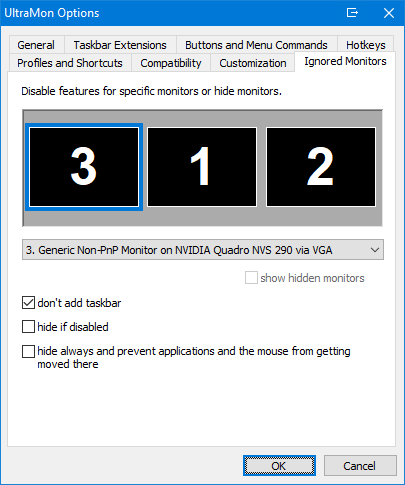
Taskbar Extensions / Smart TaskbarOn Windows 8 and later UltraMon extends the built-in multi-monitor taskbar with additional features, on Windows 7 and earlier UltraMon's Smart Taskbar adds a taskbar to secondary monitors, with each taskbar only showing applications from the monitor it is on. Taskbar Extensions on Windows 8 and laterBy default all taskbars show all open applications, to get the same behavior as with UltraMon's Smart Taskbar, go to UltraMon Options > Taskbar Extensions and change Mode to Standard. This way each taskbar will only show the applications open on the monitor it is on. If you need to quickly switch between single- and multi-monitor taskbar, you can do this via the Secondary Taskbars option on the main UltraMon menu. If you're using small taskbar icons you may have noticed that vertical taskbars can't be resized to the width of the application icon, the Enable Thinner Vertical Taskbars option fixes this by enabling you to resize vertical taskbars as desired. You can also remove the start button from secondary taskbars or from all taskbars, and the taskbar can be hidden for a specific monitor (this option is under UltraMon Options > Ignored Monitors).
Smart Taskbar on Windows 7 and earlierIf you often have multiple applications open at the same time, the Smart Taskbar will help you manage them efficiently, by adding additional taskbars for each secondary monitor. You can choose between two modes:
UltraMon does not replace the Windows taskbar, it simply adds one or more additional taskbars. For example, you can use the Windows taskbar on the primary monitor, and UltraMon taskbars on your secondary monitors.
Below is a screenshot of the Smart Taskbar running in standard mode on a 2-monitor system, on the left monitor the Windows taskbar, on the right monitor an UltraMon taskbar. There are two applications running on each monitor. Click the image for a full-size screenshot.
|